Sportzfy APK – Free Download Latest Version v32.0 For PC 2026
Sportzfy for PC can be used as a helpful searching tool for sports lovers interested in using an Android sports app. This allows the user to try out the Android app on a PC rather than a smaller phone screen. But Sportzfy is primarily an Android app, so a PC user will most likely require an Android emulator to use the APK file.

Sportzfy for PC Info
| App Name | Sportzfy |
| PC Version | Android app through an emulator |
| Category | Sports and Entertainment |
| File Format | APK |
| Supported Platform | Compatible Windows PCs |
| Windows Support | Windows 10 and Windows 11, subject to emulator compatibility |
| Installation Method | Android emulator |
| Cost | Depends on the app and services used |
| Internet | Required for online streaming |
| Main Purpose | Accessing sports-related content on a larger screen |
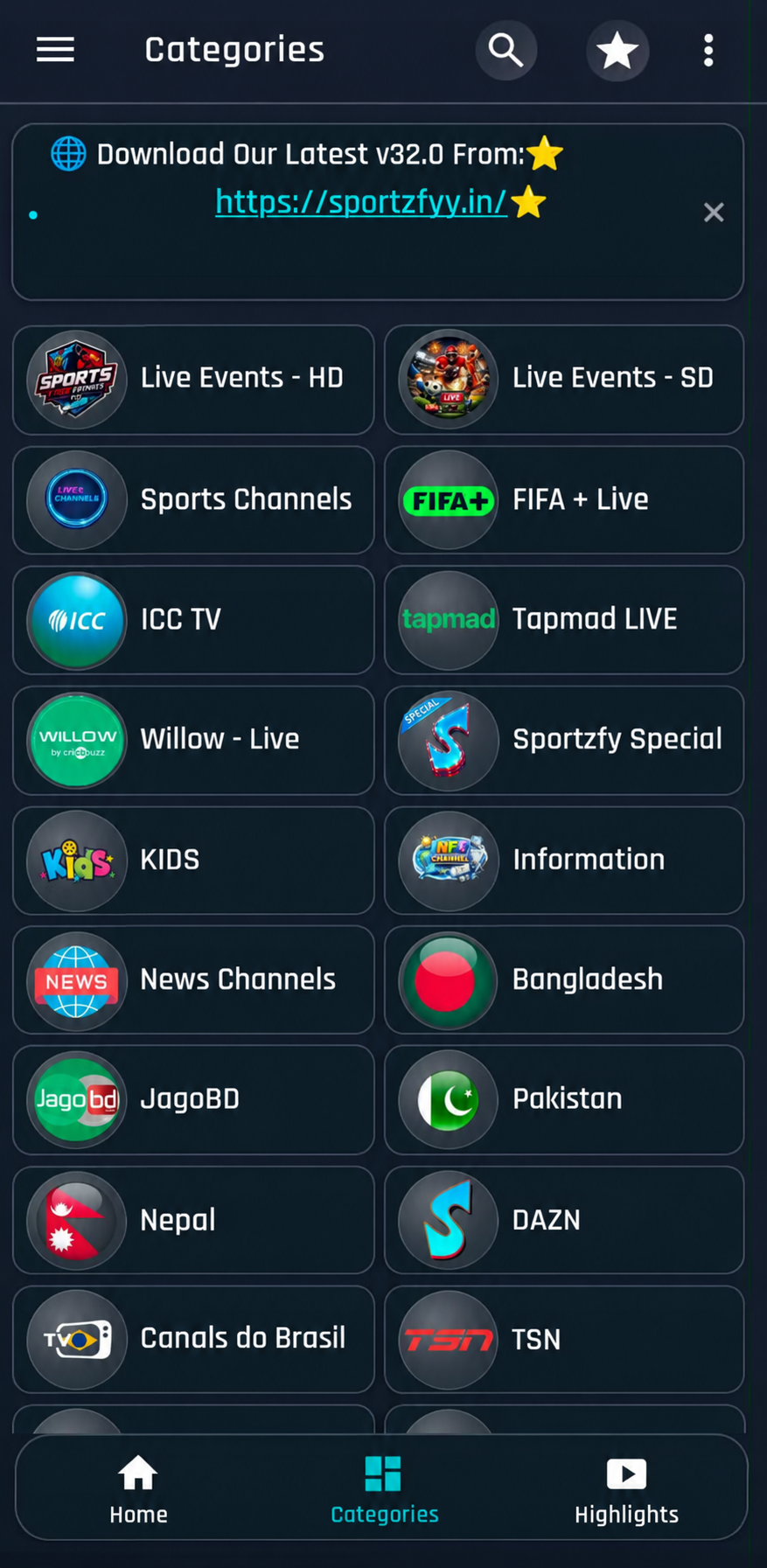
What Is Sportzfy for PC?
Sportzfy for PC means using the Sportzfy Android app on Windows desktop or laptop computer. With the help of an Android emulator, a virtual Android environment is created on the computer where the mobile application can be used in a separate window.
For instance, people can use an Android emulator like BlueStacks or some other compatible emulator. Once the emulator is installed, they can use the Sportzfy APK file and launch the application from the home screen of the emulator.
However, Sportzfy for Windows is not always a desktop application. An APK file is meant for Android, while the Windows system uses EXE or MSI setup files for installations. Thus, do not download any EXE file just because it has Sportzfy PC in its name.
Why Use Sportzfy on PC?
Another reason why users choose a computer is that it provides a larger screen and more space for multitasking. Also, it can be handy for watching a game from home or following a tournament while doing something else.
Here are some reasons why people look for Sportzfy for PC download.
Watch on a Larger Screen:
Using a computer’s screen can be more comfortable than using a small mobile screen. As a result, watching sports with friends or following a lengthy game may be easier.
Follow Sports Content:
Depending on the version installed and streams available, the app can offer various sports-related channels or live matches. However, not all matches or channels are available.
Control the App With a Keyboard and Mouse:
With an Android emulator, one can control the application using a mouse of their computer. Additionally, the keyboard can help navigate the app even though not all features can be used with keyboard shortcuts.
Multitask While Viewing:
PC provides an easy way to shift among the streaming window, web browser, statistics of the match, and other programs. Hence, people can track other details without repeatedly using their phones.
Utilize a Larger Home Setup:
If you have a computer linked to a large monitor at home, then you will not need any other device to view compatible Android applications. However, performance would depend on the emulator and computer hardware.
Requirements for Sportzfy for PC
Before downloading Sportzfy for Windows 10 or Windows 11, make sure your computer can run an Android emulator. Running an emulator uses additional memory and processing power, so older computers may struggle.
| Requirement | Recommendation |
|---|---|
| Operating System | Windows 10 or Windows 11 |
| RAM | 4GB minimum for some emulators; 8GB or more is preferable |
| Free Storage | At least 5GB as a starting point; more may be needed |
| Processor | Compatible Intel or AMD processor |
| Graphics | Updated graphics drivers |
| Internet | Stable broadband or Wi-Fi |
| Software | Compatible Android emulator |
| App File | Sportzfy APK from a source you can verify |
How to Download Sportzfy for PC
There is no confirmed native Windows installer provided for Sportzfy here. Thus, the common practice will be to set up an Android emulator and then install the APK file.
Here are the instructions for preparing your PC.
Step 1: Identify Your Windows Version:
To begin with, determine which version of Windows you have installed on your PC – Windows 10 or Windows 11. For that, open the Settings and go to System -> About.
Further, identify how much RAM and free space you have. In case your computer has low resources, you should close other applications before installing the emulator.
Step 2: Get an Android Emulator:
Select any supported emulator like BlueStacks from the official website of its developer. Or you may choose some other trusted emulator according to your Windows version.
Download the installation package and follow the on-screen instructions. Do not use third-party installer packages with an unknown application included with the emulator.
Step 3: Download the Sportzfy APK File:
Once the emulator is set up, search for a Sportzfy APK from a trustworthy source. Before opening the file, be sure to verify the name, file extension, version number, and source of the file. Additionally, run a scan on the downloaded APK using trusted security software.
A recognizable logo or website claiming to provide the latest Sportzfy APK does not mean that the file is authentic. Do not use the file if the source of the file is unknown or if your security software flags it.
Step 4: Have the APK File Ready:
- Save the file in a folder where you will be able to locate it, such as Downloads.
- Also, ensure that the file has been downloaded successfully.
- Lastly, launch the emulator and make sure that everything is working fine.
How to Install Sportzfy on PC
Once the emulator and APK are ready, follow the installation process below.
- Open the Android emulator on your Windows computer.
- Find the Install APK option if the emulator provides one.
- Select the Sportzfy APK from your saved folder.
- Click Open and wait for the installation process to finish.
- Return to the emulator’s home screen.
- Find the Sportzfy app icon and open it.
- Check whether the app loads and its available features work correctly.
Some emulators also support dragging an APK file into the emulator window. However, the exact controls may differ between programs.
Sportzfy for Windows 10
Sportzfy for PC on Windows 10 may be possible using a suitable Android emulator. With this process, it is possible for users to execute an Android application without installing it as a normal Windows application.
To begin with, ensure that the emulator used is compatible with your device. Then, download and scan the Sportzfy APK before importing it. After installation, open the app and examine its contents.
It is important to note that your experience may vary based on your device’s processor, RAM, graphics, and internet connection. In case you have an old device, ensure that the emulator you choose is compatible with your device.
It is also important to note that Windows 10 support ended on October 14, 2025. Therefore, suitable devices should consider upgrading their operating systems.
Sportzfy for Windows 11
The exact installation process can be applied to Windows 11 as long as the emulator you have chosen is compatible with your computer.
First, download the emulator from the original website. Next, scan the APK file and then install it using the emulator. Lastly, open Sportzfy on the home screen and use the application.
Some older guides may suggest using Windows Subsystem for Android. But, the company stopped supporting Windows Subsystem for Android and Amazon Appstore back in March 2025. Therefore, using an emulator is the better choice.
In case the emulator fails to run, you should ensure that your computer meets the requirements of the emulator. You should also make sure that your hardware virtualization is enabled.
Best Emulator for Sportzfy on PC
Selecting the appropriate Android emulator will impact the functioning of the app. Yet, there is no guarantee that one particular emulator will work perfectly on any computer.
BlueStacks:
This is an emulator that can be used by users who wish to install Android apps on Windows PC. It provides means of installing APK files that are compatible with the emulator.
Also, this emulator has a familiar interface that might help beginners to start using it. See its current specifications before installation.
LDPlayer:
This is another Android emulator that could be considered by users who have compatible Windows PC. The suitability of this emulator will depend on the user’s hardware and operating system, as well as on the app itself.
Thus, it is recommended to check its official documentation and current compatibility before selection.
NoxPlayer:
Another alternative of running Android application on PC is NoxPlayer. It may be useful for those who wish to change settings and control options of the emulator.
However, make sure to download it from an authorized source and check its current version for your Windows PC.
How to Improve Sportzfy Performance on PC
When Sportzfy runs slow, there are a few simple changes you can make. Nevertheless, they cannot solve all issues, particularly when the stream is not available or the application is not compatible with your device.
- Close unneeded programs: It will give some extra RAM and processing power.
- Use a stable Internet connection: A good connection will lower the chances of buffering due to network issues.
- Install updated graphic card drivers: Updated drivers will improve compatibility with an emulator.
- Change the settings of the emulator: Adjust memory, CPU usage, and display resolution in the limits of the emulator.
- Restart the emulator: It can help to eliminate temporary loading issues.
- Make sure there is enough storage space: The emulator and the Android environment both require some work space.
- Do not run too many background processes: Too many programs will take system resources.
- Moreover, note that better video quality requires more bandwidth.
Common Sportzfy for PC Problems and Solutions
However, even after the successful installation, problems can arise. The following recommendations will help you find out what caused them.
Sportzfy Is Not Installing:
- Check if the APK file was downloaded correctly.
- Also, check if the emulator supports the file and there is enough memory space.
If the problem persists, pay attention to the error message of the emulator. Don’t turn off the antivirus just to make the installation possible.
Sportzfy Displays a Black Screen:
A black screen might appear due to the graphics problem of the emulator, the incompatibility of the application version, or an unavailable stream. Start the app again. Then check for the emulator update and look through the graphics options. If other apps are working well but only one stream is black, then the problem is probably related to this specific stream.
Sportzfy Is Constantly Buffering:
The buffering problem appears when there is a poor internet connection, the device is overloaded, or the streaming source is unavailable. Check your internet connection, close unnecessary applications, and restart the app. If the problem concerns only one event, then the stream might be at fault.
Sportzfy App Keeps Crashing on Startup:
Ensure that your emulator is compatible with the downloaded APK file. After that, restart your emulator and see if there are any updates. In case the app still crashes, uninstall the installation and evaluate the APK file source before proceeding with installation again.
Sportzfy Won’t Launch on Windows 11:
Ensure that your emulator is compatible with your version of Windows and your computer hardware. Moreover, ensure that virtualization is enabled for your emulator if required. Lastly, always look at the error message rather than downloading a Sportzfy Windows installer from an unknown site.
Is Sportzfy for PC Safe?
It is dependent upon the APK source, the application build, the emulator, and the permissions that you give. An Android emulator does not guarantee the safety of an unverified APK.
Consequently, download the emulator from the official site of its developer and get the app from the verified source. Run a scan of the APK file prior to installing it and do not turn off your security software.
In addition, be aware of the permission requests. The sports app does not require access to the information that has no relation to its operation. Do not enter your passwords and financial information into an application whose developer you do not know.
Do not follow the instructions of a website which tells you to turn off Microsoft Defender, install an EXE file, or ignore a security warning.
Is Sportzfy for PC Free?
The price varies according to the specific build of the app and the services it provides. Although some third-party sources indicate that the Sportzfy app is free, it cannot prove that each APK is legitimate and all the streams are legal.
The emulator could be available without any extra fee, however, its terms could differ from those of the application itself. Moreover, the internet use could have additional fees.
In case of using any streaming service, one should check its terms of use and ensure that the broadcasts are legal in his/her country.
Sportzfy for PC vs Android
The installation environments for Sportzfy for PC and Sportzfy for Android are different. The APK version of Sportzfy that is compatible can be installed directly into the Android device. On the other hand, an emulator is needed to install the app on the Windows PC.
| Feature | Sportzfy on PC | Sportzfy on Android |
|---|---|---|
| Screen | Laptop or monitor | Phone or tablet |
| Installation | Through an emulator | Compatible Android installation |
| Controls | Mouse and some keyboard input | Touchscreen |
| System Resources | Uses PC and emulator resources | Uses device resources |
| Multitasking | Convenient on a desktop | Depends on the device |
| Compatibility | Depends on emulator and APK | Depends on Android version and APK |
| Portability | Requires a computer | Convenient for mobile use |
This depends entirely on what your requirements are. In case you need a bigger screen, then using the PC is a better choice. However, Android is easier to carry around and does not need an emulator.
Frequently Asked Questions
Can I install Sportzfy for PC? +
Sportzfy is an Android application that can run on a compatible Windows PC using an Android emulator. However, remember to check the authenticity of the APK file before installing it.
Does Sportzfy run on Windows 10? +
The Sportzfy application might run through a compatible emulator on your computer. However, compatibility depends on your computer’s hardware, the emulator, and the APK version you use.
Can I install Sportzfy on Windows 11? +
Yes, you can try running Sportzfy through a compatible Android emulator on Windows 11. Remember to check whether the emulator supports your computer’s hardware and operating system.
Is there a Sportzfy EXE for PC? +
There is no verified Sportzfy EXE file for PC installation. Sportzfy is available as an Android APK, so be careful when you find EXE files claiming to be Sportzfy for PC.
Which emulator is compatible with Sportzfy? +
BlueStacks, LDPlayer, and NoxPlayer are some Android emulators you can consider. However, compatibility depends on your Windows version, computer hardware, emulator settings, and the Sportzfy APK.
Is it possible to install Sportzfy without an emulator? +
A standard Android APK cannot be installed on Windows like a regular desktop application. You need a compatible Android environment or another supported installation method to run it on your PC.
Why does Sportzfy buffer on my laptop? +
Buffering may happen because of a poor internet connection, insufficient system resources, emulator settings, or an unavailable stream. Check your connection and try other streams to see whether the problem continues.
Does Sportzfy for PC work on Windows 7? +
It depends on the emulator version and your computer’s hardware configuration. However, Windows 7 is no longer supported by Microsoft, so using a supported operating system is a better choice for security and compatibility.
Is Sportzfy available for Mac? +
This guide focuses on Windows PCs. If you use a Mac, check whether a compatible Android environment is available for your version of macOS and your Mac’s hardware before attempting to run Sportzfy.
Is Sportzfy legal? +
The legality depends on the content you access, how it is distributed, and the laws in your location. Check whether the service is authorized to distribute the specific sports streams you want to watch.
Final Thoughts
Sportzfy for PC may serve as a good alternative for those who wish to try out an Android sports application on a bigger screen. With a proper Android emulator, a suitable PC running Windows, and a properly verified APK file, installation will not pose any difficulties.
Nevertheless, selecting the right file is just as crucial as the installation itself. Always check the source of the file, ensure that your antivirus software is enabled, and steer clear of any sketchy Windows installers. Lastly, if your aim is to watch live sports reliably, do not forget to evaluate legal streaming services in your country.